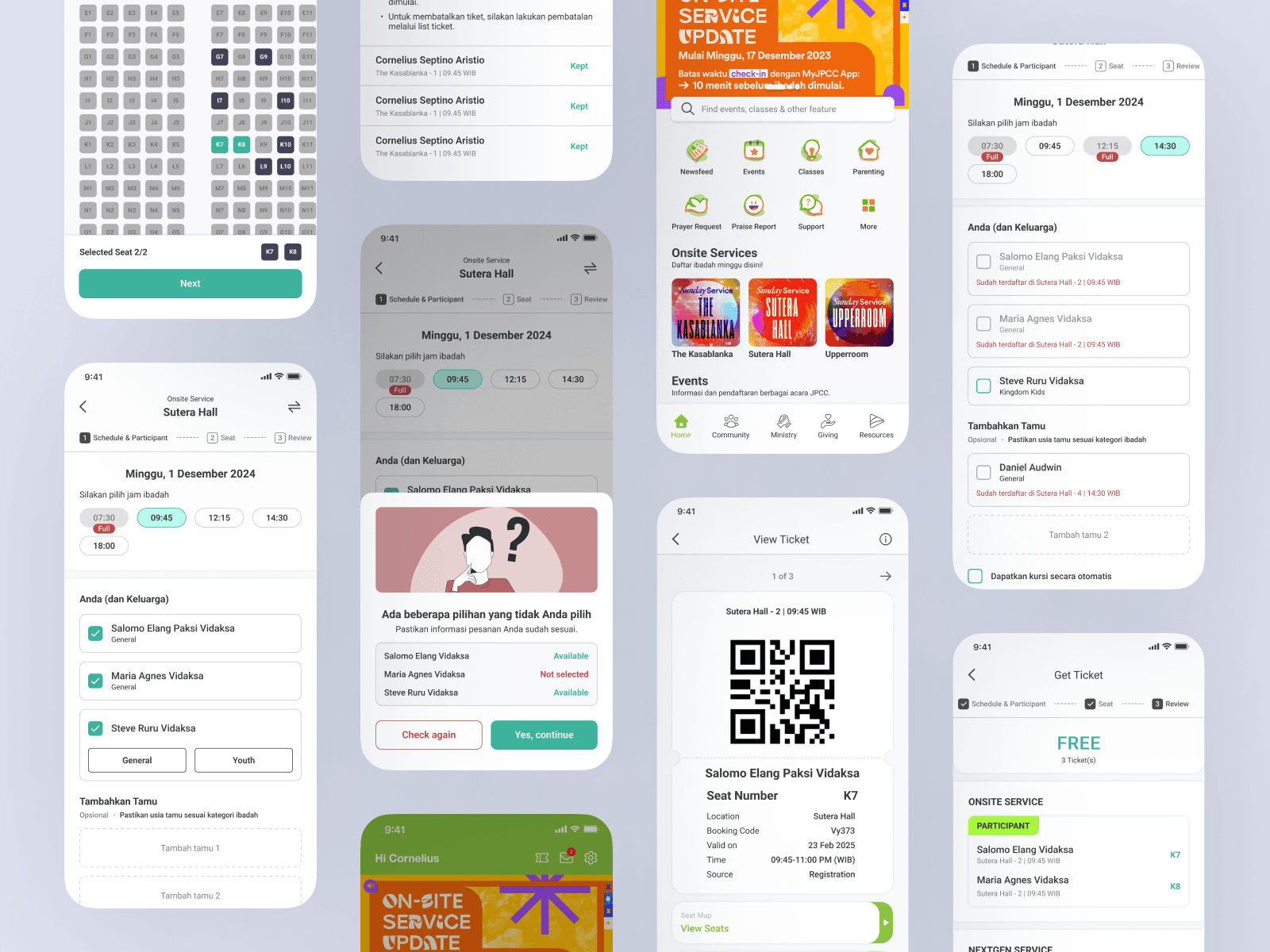
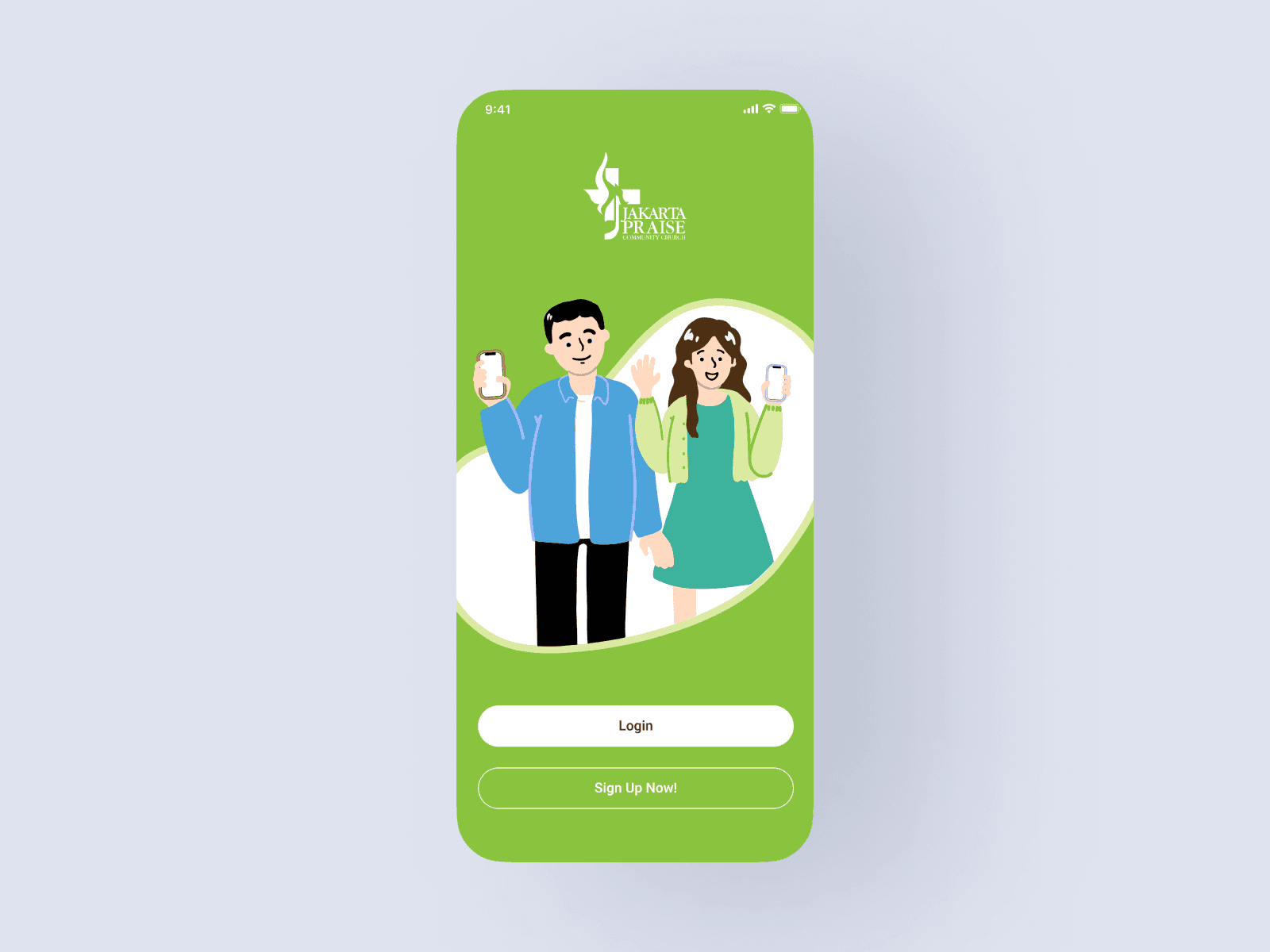
MyJPCC app, the official app of Jakarta Praise Community Church (JPCC), provides members with information, news, and registration access for programs and events, as well as access to small group/community information
Role:
UI/UX Designer
Industry:
Church
Duration:
5 weeks
Challenges
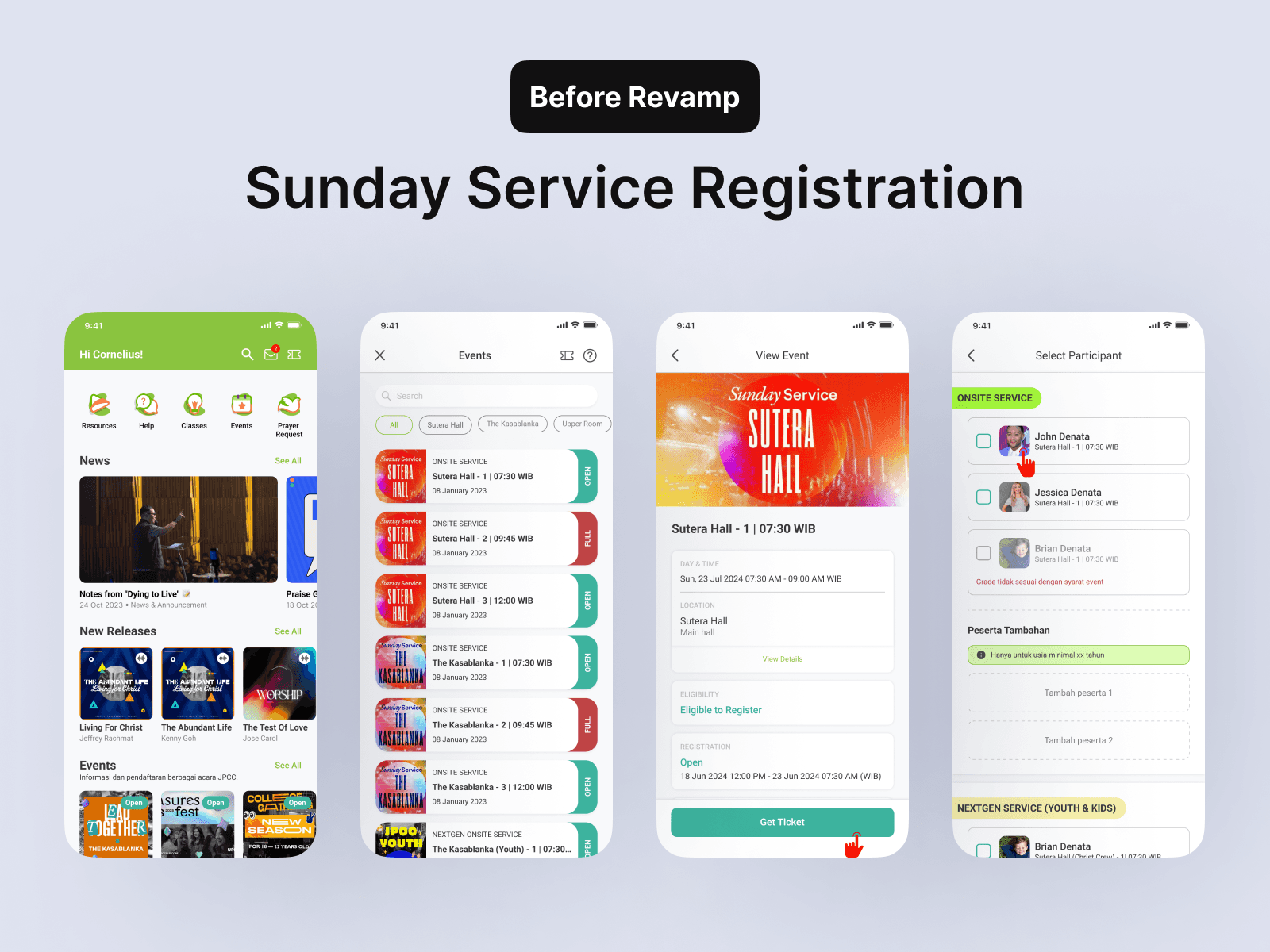
Complex Feature Integration: Implementing and Revamping the Sunday Services feature for congregations to attend with their families (children, parents, friends). Additionally, how to encourage users to stay updated with the latest information.
Unused Tickets: Many users have tickets for the Sunday Service but do not attend or fail to cancel their tickets. This creates issues, as the slots remain filled and other congregants who wish to register cannot attend the service.
On-the-Spot Registration: Many congregants who are already at the venue are unable to get tickets for the Sunday Service because the slots are full. This issue arises because those with tickets do not attend or fail to cancel their tickets.
User-Centric Design: Designing an intuitive interface that caters to users of various age groups, ranging from teenagers to seniors, and different roles, including partners and pastors.
Scalability: Ensuring the app can handle a growing user base and future updates without compromising performance.
My Approach
Discovery Phase
User Research: Conducted thorough user analysis to understand user needs, challenges, and emerging trends in ticketing (like other ticketing apps) with Business Analyst, Project Manager & Dev Team to ensure all the requirements needs.
User Persona Development: Created detailed user personas to guide design and feature prioritization.
Design and Development
UI/UX Design: Designed a clean and intuitive interface with easy navigation and visually appealing graphics to motivate users.
Feature Implementation: Developed and integrated key features like time & campus selection, add & edit guests, seat selection, countdown, tracking previous order.
Backend Development: Built a scalable backend infrastructure to support real-time data synchronization and user analytics.
Testing and Iteration
User Testing: Conducted extensive usability testing with target users to gather feedback and refine the app interface and functionality.
Performance Optimization: Implemented optimizations for speed, reliability, and accurate to ensure a seamless user experience.
Results
Sunday Service:
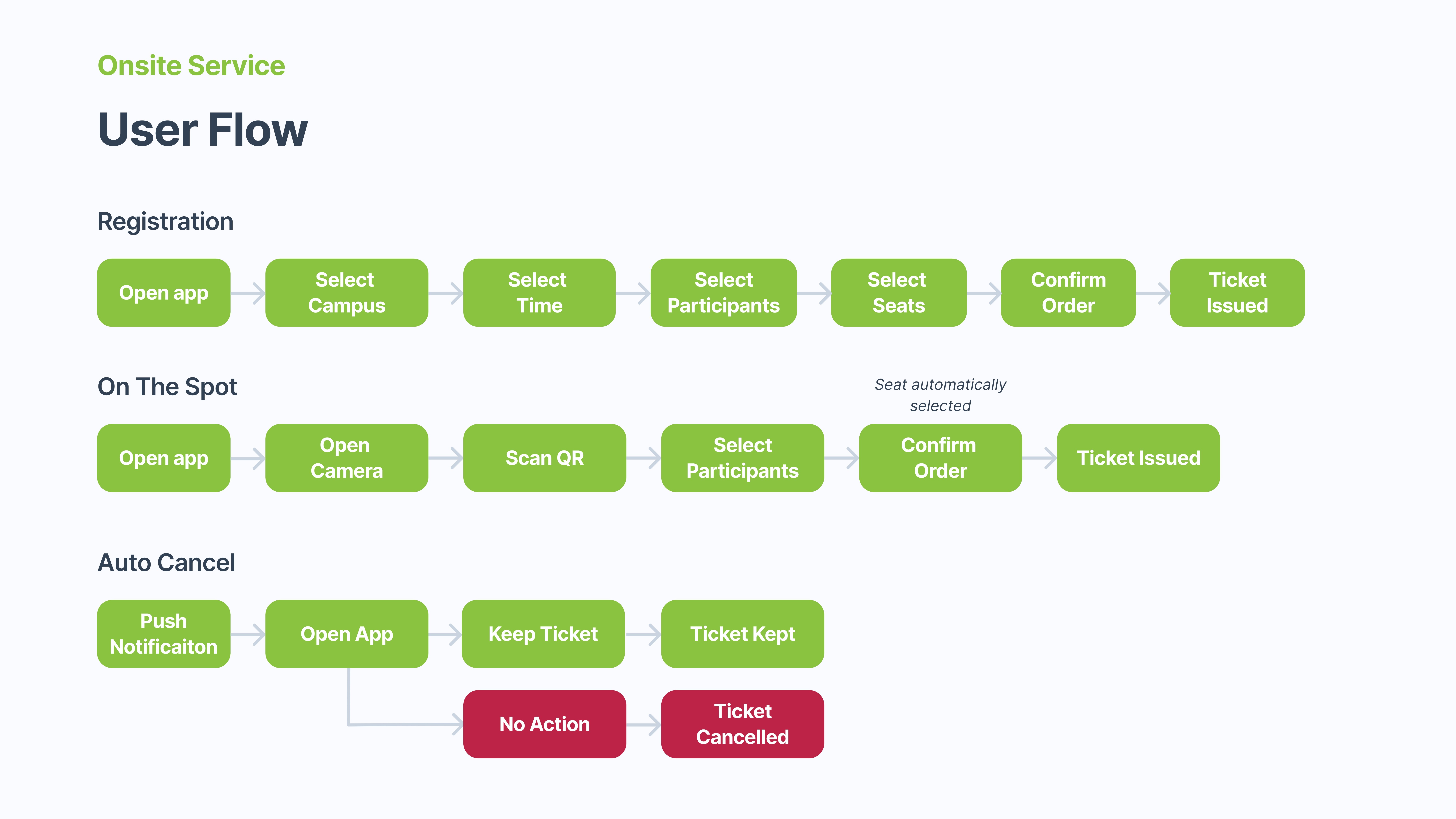
Simplified Campus & Time Selection: The time required for selecting the campus and service time has been reduced by 60%, decreasing from 3-5 seconds to a more efficient process.
Simplified Participant & Guest Selection: Time usage has been reduced by 80%, from 10 seconds to 2 seconds, thanks to auto-population from previous orders or Sunday Service selections.
Simplified Seat Selection & Ticket UI: Participants can now clearly distinguish between available and unavailable seats during the seat selection process, eliminating confusion.
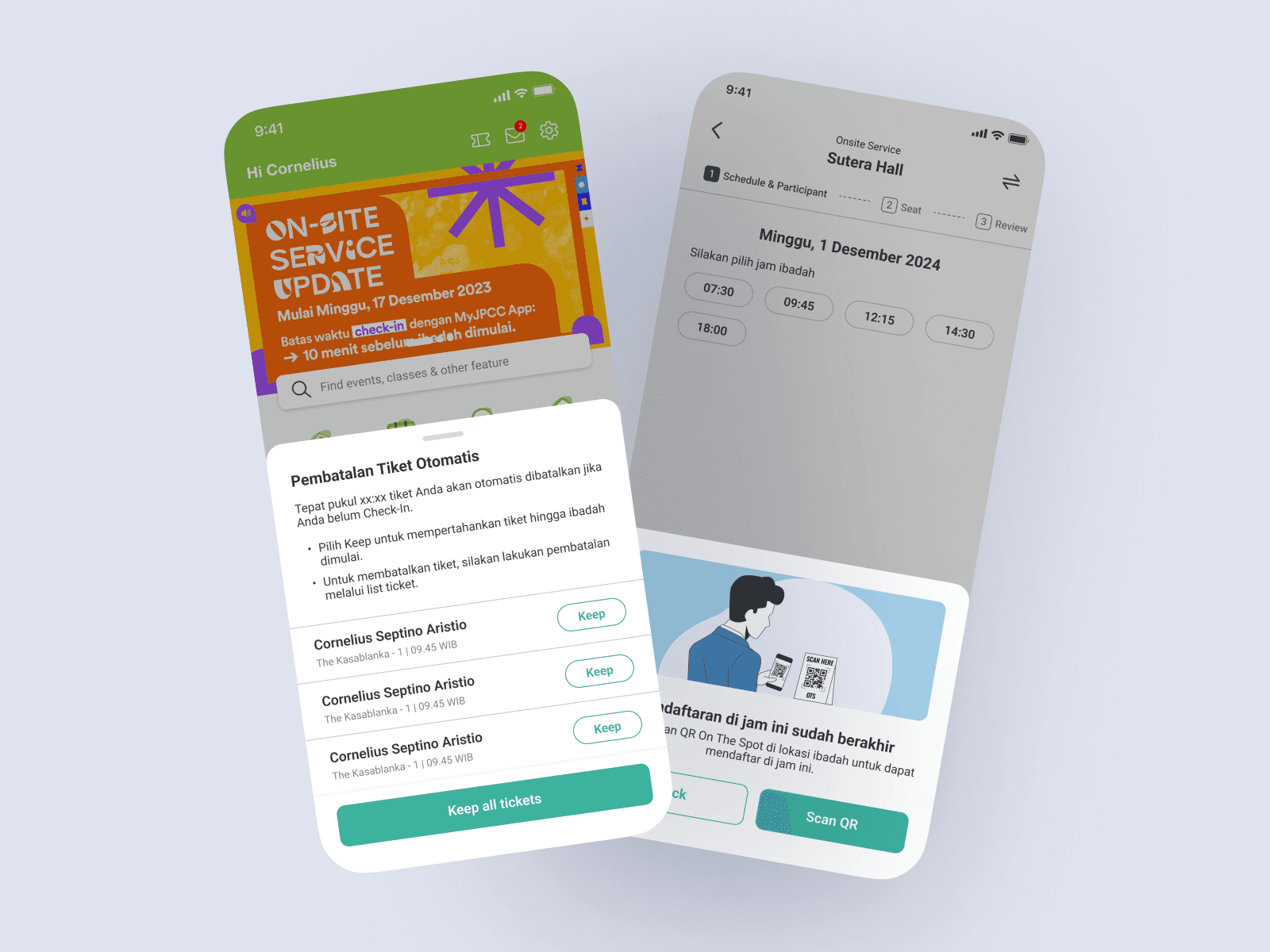
Auto-Cancel Feature: A feature has been added to automatically cancel active tickets 20 minutes before the event (with a notification sent to users in advance, allowing them to either release or retain their ticket). Tickets will be released 10 minutes before the event begins (the time period can be adjusted in the Backend Dashboard by Admin). This feature has led to a 60% increase in check-in rates and has been detected in 25% of cases where auto-cancel was applied.
On-the-Spot Registration: A new feature allows users to register for events or services directly on-site by simply scanning a barcode.
Homepage:
New & Refreshed Icons: A fresh set of icons has been introduced for a more modern and intuitive user experience.
Simplified and Content-Focused: The homepage has been redesigned to focus on key content, making users more aware of active or upcoming events, Sunday services, classes, etc.

Future Plans
Continuous Improvement: Plan regular updates based on user feedback.
Expansion: Evolving scan with GPS integration to enhance tickets scan onsite & reduce queue.
Conclusion

📊 Key Observations
October 20, 2024 (Major Spike):
Auto Cancels ↑ 40%
Self Cancels ↑ 35%
Empty Seats ↑ 90%
Not Checked-In (Seat) ↑ 75%
On The Spot Check-ins ↑ 100%
December 8 & 15, 2024:
On The Spot Check-ins ↑ 60%
Consistent with special events or seasonal services
During Q4 2024, analysis of Sunday Service attendance revealed key behavioral trends across all campuses and services. With the implementation of the Auto Cancel feature, On The Spot check-in, and a simplified registration UI, there appears to be a positive impact on user behavior. Auto Cancellations and Self Cancellations spiked by 40% and 35% respectively on October 20th—coinciding with a 90% surge in Empty Seats and a 75% increase in Not Checked-In (seat).